🔒 100% Local-First  ·  No account  ·  No cloud sync  ·  No telemetry  ·  No subscription  ·  Everything runs on your machine
 v0.0.1 — Windows · macOS · Linux  ·  Free Forever

The free, local-first
desktop API client
that respects your privacy

API Sentinel replaces Postman and Insomnia — completely free, with every feature running locally on your machine. REST testing, GraphQL, mock server, load testing, WebSocket, SSE, MQTT, security scans, flows, proxy capture and more. No account. No cloud. No subscription. Ever.

✓ No sign-up required ✓ No data leaves your machine ✓ No telemetry by default ✓ Works fully offline
Windows x64 (.exe) macOS Intel & Apple Silicon (.dmg) Linux x64 (.deb)
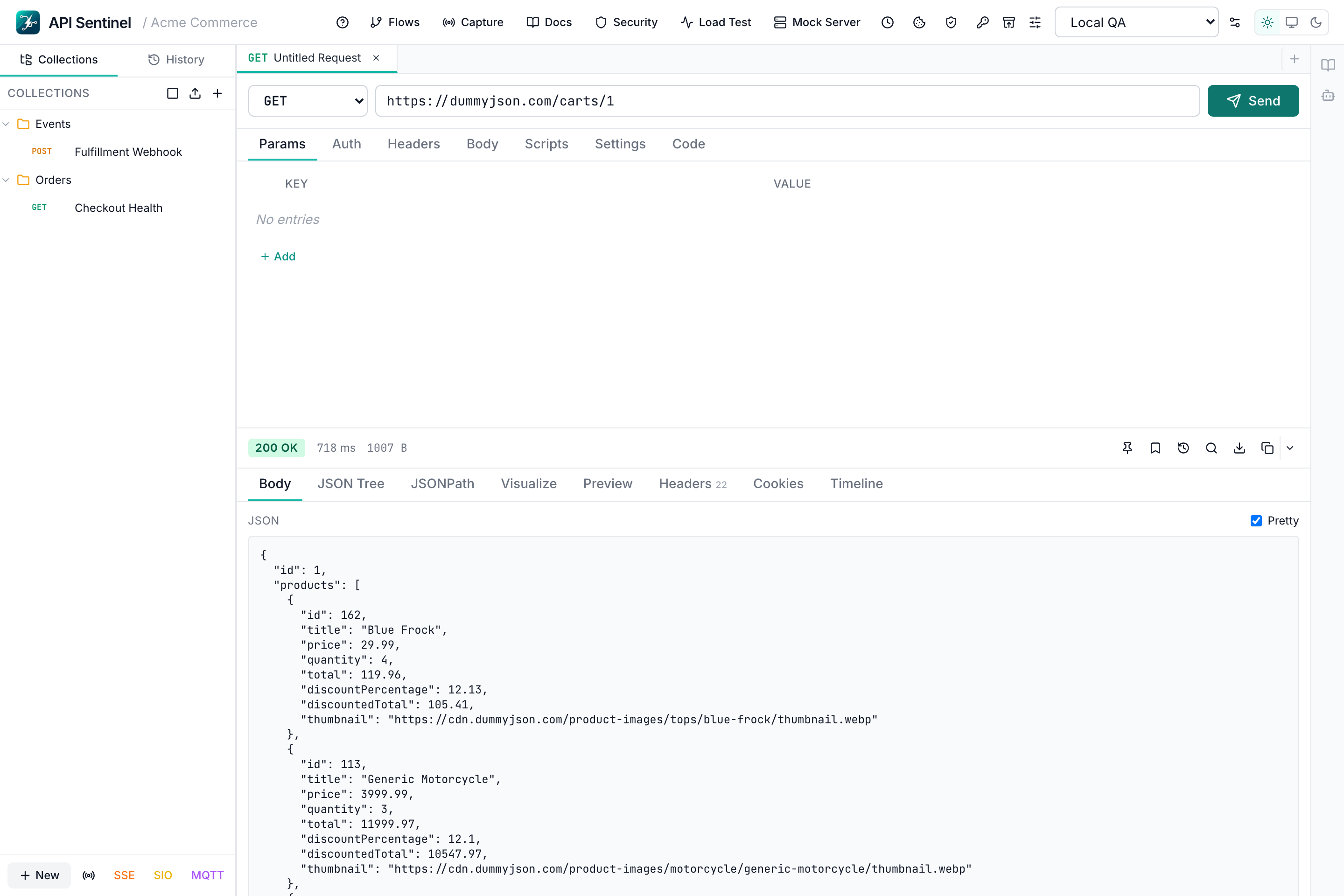
API Sentinel — Local API Testing Workspace · No Cloud · No Account
API Sentinel main workspace — REST API testing, response inspection, collections and environments — runs fully locally with no cloud sync

Privacy-First Architecture

Your data never
leaves your machine

Most API clients push you toward cloud accounts, sync your requests to their servers, and lock features behind subscriptions. API Sentinel works the other way around. Every collection, every environment, every request history snapshot — stored locally, owned by you, accessible offline.

🔒

No Account Required

Launch the app and start testing immediately. There is no sign-up screen, no email, and no forced login — now or ever.

📡

Zero Cloud Sync

Your requests, collections, environments, and history live on your filesystem only. No data is uploaded to any server.

🛰

No Telemetry by Default

Usage analytics are off by default. API Sentinel does not phone home unless you explicitly enable it.

✈️

Works Fully Offline

No internet connection required to use the app. Ideal for air-gapped environments, restricted networks, and travel.

// api-sentinel.config — your machine, your data

"storage": {
  "mode": "local-filesystem",
  "cloud_sync": false,
  "data_leaves_machine": false,
  "works_offline": true
},

"auth": {
  "account_required": false,
  "login_required": false,
  "email_required": false
},

"telemetry": {
  "enabled_by_default": false,
  "analytics": "opt-in only"
},

"pricing": {
  "cost": 0,
  "freemium": false,
  "all_features_free": true,
  "subscription_required": false
}

Complete Feature Set

Every feature. All free. All local.

No feature gates, no paid tiers. Every capability listed below is included in the free download and runs entirely on your machine.

Request Composer

  • URL bar with autocomplete
  • Direct cURL paste import
  • HTTP method selector
  • Query parameter editor
  • Header editor with suggestions
  • Auth: Bearer, Basic, API Key, OAuth
  • Cookie & variable-aware building
  • Request settings: timeout, redirects, SSL
📦

Body Modes

  • JSON with pretty-print
  • Raw text
  • Form-data
  • URL-encoded payloads
  • GraphQL query & variable editor
  • Binary & file uploads
🧪

Scripting & Tests

  • Pre-request scripting
  • Test scripting with assertions
  • Console output capture
  • Test result summaries
  • Response assertions engine
🔧

Code & Template Helpers

  • Reusable request templates
  • Clone & duplicate flows
  • Code generation from any request
  • Snippet-friendly export
👁

Response Viewer

  • Pretty body view
  • Raw body view
  • JSON tree exploration
  • Headers & cookie inspection
  • Timing & timeline data
  • Response search
  • Download & export
  • Markdown & schema-style views
📸

Snapshot Regression

  • Save response snapshots locally
  • Mark expected baselines
  • Compare current vs saved response
  • Compare snapshot vs snapshot
  • Inline pass/fail status
  • Catch unintended API drift early
🔁

Diff & Compare

  • Side-by-side response diff
  • Field-level change detection
  • All comparison data stored locally
🗂

Collections

  • Collections with nested folders
  • Inline rename
  • Request & collection duplication
  • Request templates
  • Parallel request tabs
🌐

Environments & Variables

  • Multiple environments (local, staging, prod)
  • Collection variables
  • Variable toggles & secret-aware handling
  • Dynamic variables
  • Global find & replace
🕰

History & Recovery

  • Full request history
  • Time machine inspection
  • Backup & restore workflows
  • Stored on your filesystem
📥

Import & Export

  • cURL import & export
  • OpenAPI / Swagger
  • HAR files
  • Common API client formats
  • REST Client style inputs
▶️

Collection Runner

  • Execute multiple requests in sequence
  • Parameterised test runs
  • Pass/fail reporting per request
  • Re-run failed requests

Scheduled Runs

  • Recurring local automation
  • Time-based collection triggers
  • Results stored locally — no cloud needed
🔗

Flows — Chained Requests

  • Chain requests using prior responses
  • Login → fetch profile
  • Create resource → validate retrieval
  • Multi-step smoke tests
  • Visual flow builder
🕵️

Proxy Capture

  • Intercept real network traffic
  • Build requests from captured interactions
  • Debug traffic without code changes
🌐

REST & HTTP

  • All HTTP methods
  • HTTP/1.1 & HTTP/2
  • Custom SSL/TLS certificates
  • Redirect control

GraphQL

  • Schema introspection
  • Query editor with syntax highlighting
  • Mutations & subscriptions
  • Variable editors
🔌

WebSocket

  • Full WebSocket composer
  • Send & receive messages
  • Connection lifecycle management
  • Message history log
📡

SSE · Socket.IO · MQTT

  • Server-Sent Events (SSE) client
  • Socket.IO composer
  • MQTT client with topic subscriptions
  • All real-time protocols in one app
🔁

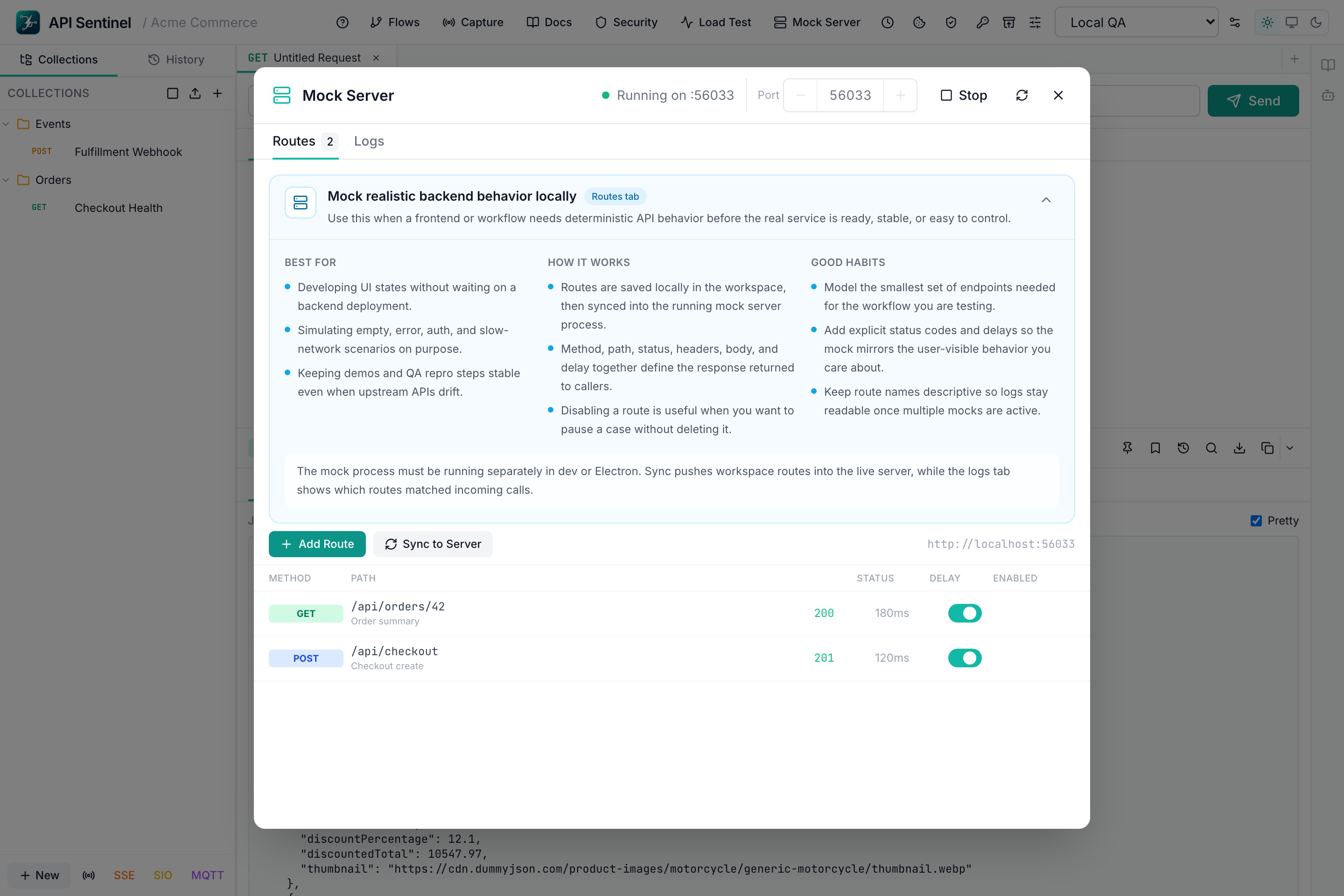
Mock Server

  • Local endpoint simulation
  • Define routes, status codes, response bodies
  • Configurable response delays
  • Mock-driven frontend dev
  • No external service needed
📊

Load Testing

  • Concurrent virtual user simulation
  • Duration-based & count-based runs
  • Latency & throughput metrics
  • Per-request performance breakdown
  • Runs locally — no external service
🔐

Security Testing

  • Passive security scan helpers
  • Engineer-friendly fuzzing passes
  • Common API vulnerability checks
  • Runs locally — no data sent externally
📸

Regression Testing

  • Save response baselines locally
  • Compare current output vs baseline
  • Catch unintended API changes early
  • All snapshots on your machine
🔐

Vault & Certificates

  • Local secret vault
  • Certificate management
  • Cookie jar management
  • All stored on your machine
🤖

AI Assistant

  • AI-powered request building
  • Test script generation
  • Command palette for fast navigation
  • Interactive guided tours
📄

API Documentation

  • Generate docs from collections
  • Markdown response rendering
  • Export-ready documentation helpers
🛡

Local Trust Controls

  • No forced login
  • No cloud sync ever
  • Workspace backup & restore
  • Works fully offline
  • No telemetry by default

Pricing

100% free. No asterisks.

Every single capability is included — no freemium, no paid plan, no feature behind a paywall. What you see is what you get, forever.

REST API Testing
GraphQL Client
Mock Server
Load Testing
WebSocket Composer
SSE Client
Socket.IO Client
MQTT Client
Security Testing
Collection Runner
Scheduled Runs
Chained Flows
Proxy Capture
Snapshot Regression
Collections & Environments
Pre/Post Request Scripts
cURL Import
OpenAPI Import
HAR Import
Code Generation
AI Assistant
Command Palette
Vault & Certificates
API Documentation
Request History
Backup & Restore
Cookie Management
Dynamic Variables

Screenshots

The full local workspace

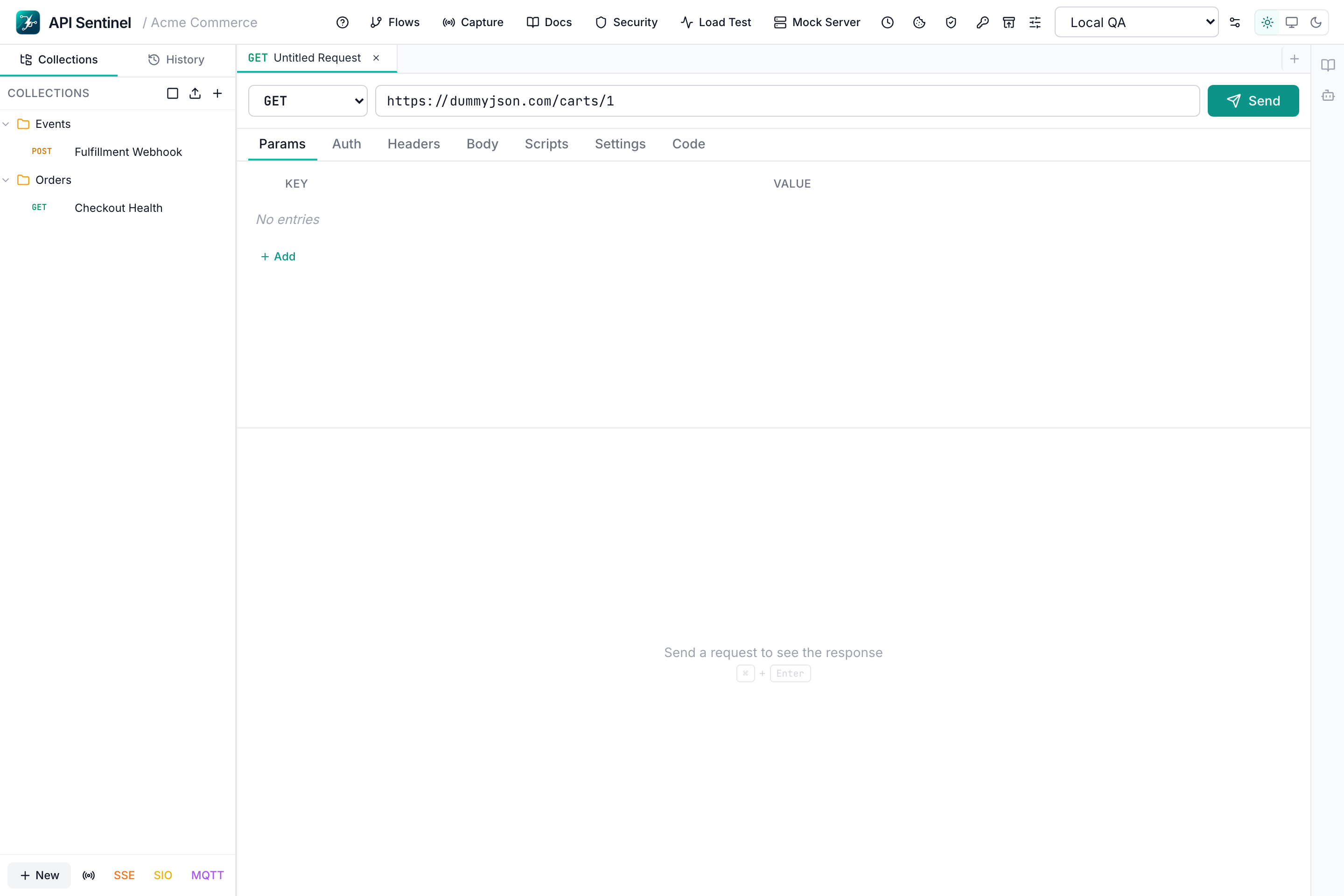
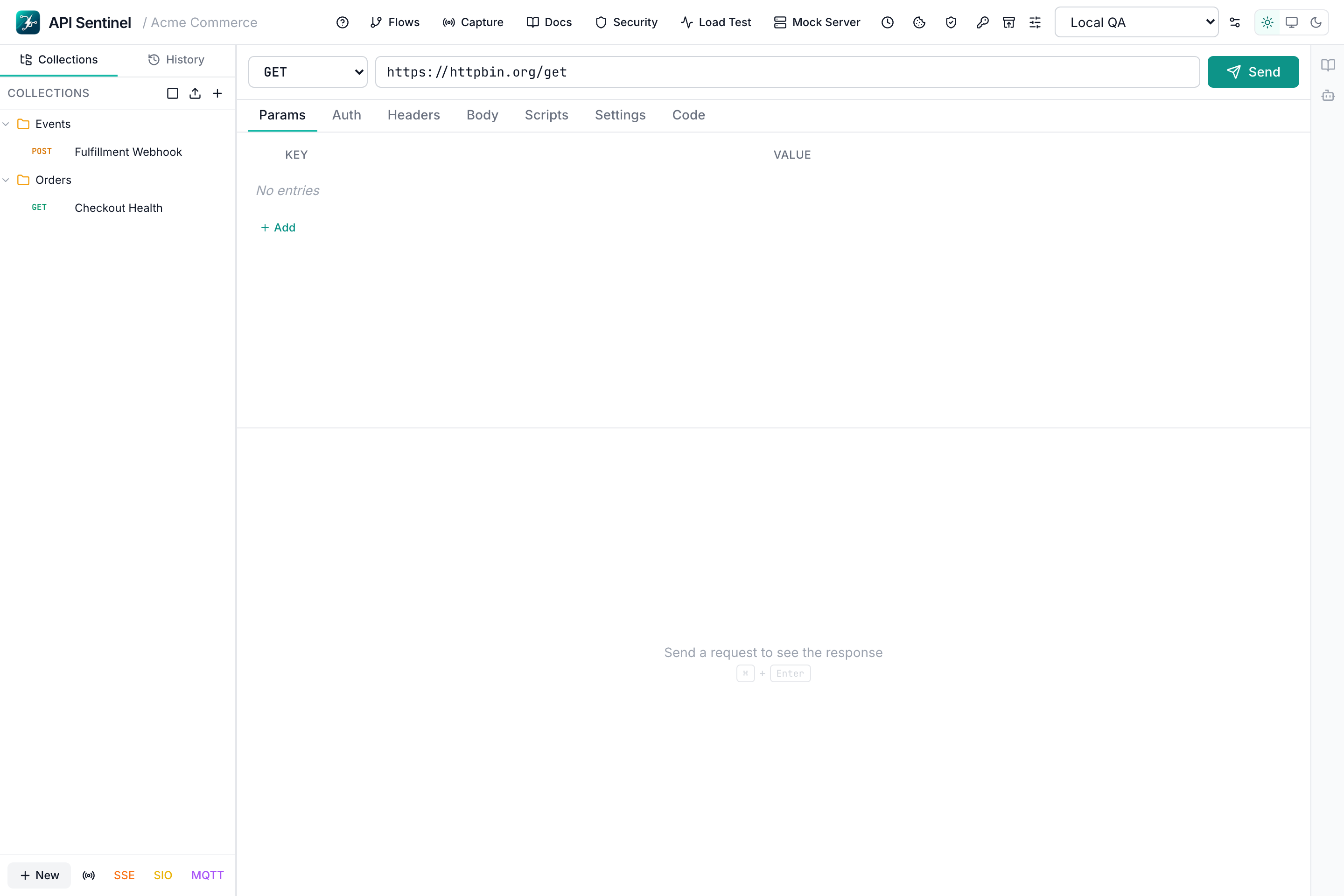
API Sentinel request composer — cURL import, auth, body editors, all local
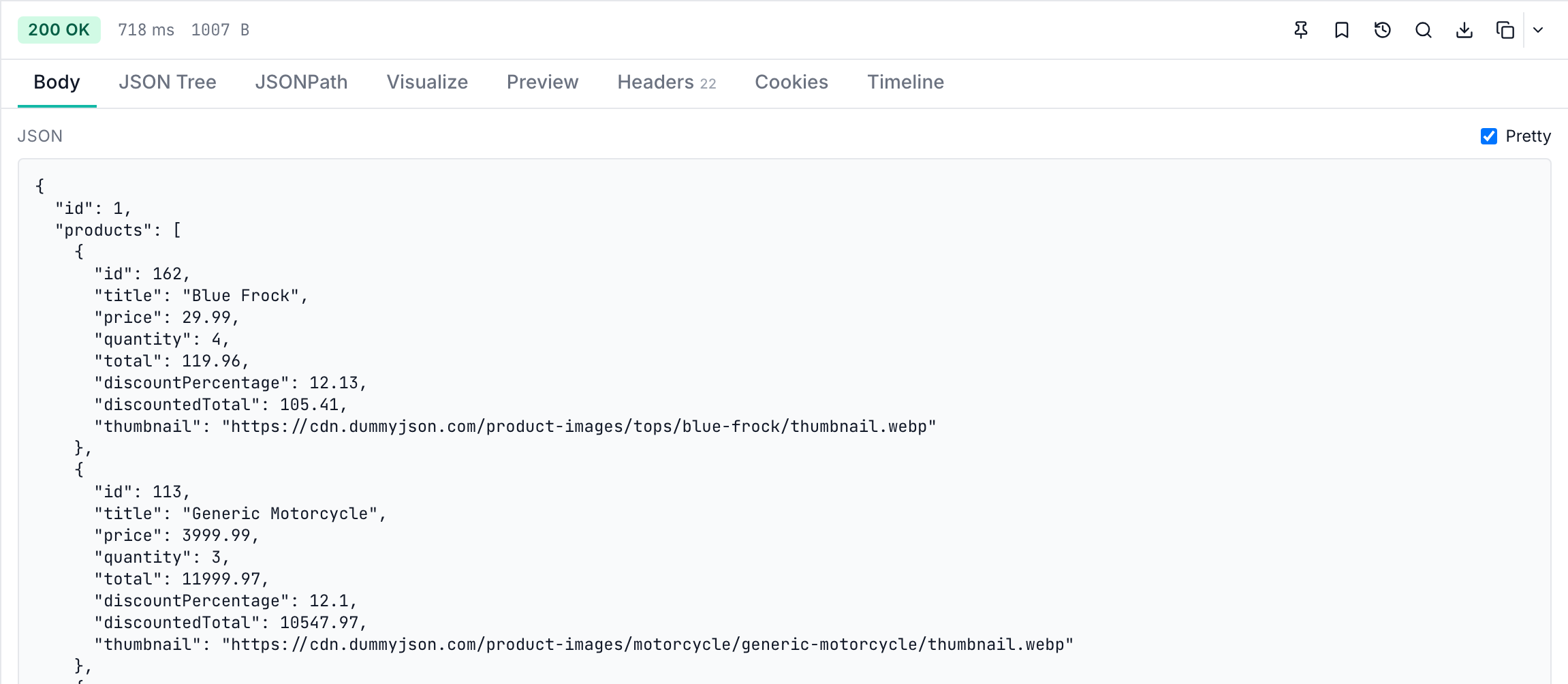
API Sentinel response viewer — JSON tree, timing, snapshot comparison, stored locally
API Sentinel collections and environments — local storage, no cloud
API Sentinel mock server — local endpoint simulation

Comparison

API Sentinel vs Postman vs Insomnia

Full feature and privacy comparison across the three most popular API clients.

Feature / AttributeAPI SentinelPostmanInsomnia
REST API Testing✓ Free✓ Free✓ Free
GraphQL Client✓ Free✓ Free✓ Free
Collections & Environments✓ Free✓ Free✓ Free
Mock Server✓ FreePaid planLimited
Load Testing✓ FreePaid plan✗ No
Security Testing✓ FreePaid plan✗ No
Collection Runner✓ FreeLimited freeLimited
Scheduled Runs✓ FreePaid plan✗ No
Chained Flows✓ FreePaid plan✗ No
Snapshot Regression✓ FreePaid plan✗ No
WebSocket Client✓ Free✓ FreeLimited
SSE Client✓ FreePartial✗ No
Socket.IO Client✓ Free✗ No✗ No
MQTT Client✓ Free✗ No✗ No
Proxy Capture✓ FreeLimited✗ No
AI Assistant✓ FreePaid plan✗ No
No Account Required✓ Yes✗ Required✗ Required
Local-First Storage✓ Yes✗ CloudPartial
Works Fully Offline✓ YesPartialPartial
No Telemetry by Default✓ Yes✗ No✗ No
PriceFree — alwaysFreemium / $12+/moFreemium / $8+/mo

Download

Get API Sentinel Free

Download for your platform. No account. No credit card. No subscription.
Every feature included. Everything runs on your machine.

v0.0.1 · Released May 2026 · Changelog · Getting Started

FAQ

Frequently Asked Questions

Is API Sentinel completely free — no hidden costs?

Yes, completely. Every feature — REST testing, GraphQL, mock server, load testing, WebSocket, SSE, MQTT, security scans, collection runner, scheduled runs, chained flows, proxy capture, snapshot regression, AI assistant — is included at no cost. There is no freemium tier, no paid plan, and no feature behind a paywall.

Does API Sentinel sync my data to the cloud?

No. API Sentinel is local-first. All your requests, collections, environments, history, snapshots, and vault data are stored on your filesystem only. Nothing is uploaded to any server. Your API credentials, internal endpoints, and request data never leave your machine.

Do I need an account to use API Sentinel?

No account is required — now or ever. Download the installer, launch the app, and start making API requests immediately. There is no sign-up screen, no email verification, and no login screen.

Does it work fully offline?

Yes. API Sentinel works fully offline. No internet connection is required to use the app itself. The only internet activity is the actual API requests you choose to send.

What platforms does API Sentinel support?

API Sentinel runs on Windows (x64), macOS (Intel and Apple Silicon), and Linux (x64, .deb). Download the installer from the GitHub Releases page.

How does API Sentinel compare to Postman?

API Sentinel offers mock server, load testing, security testing, scheduled runs, chained flows, SSE, Socket.IO, MQTT, proxy capture, snapshot regression, and AI assistant — all free. Postman locks most of these behind paid plans starting at $12/month and requires a cloud account. API Sentinel stores everything locally and requires no account.

Does API Sentinel collect telemetry or analytics?

Telemetry is off by default. API Sentinel does not phone home unless you explicitly enable it. No usage data is collected or transmitted without your knowledge.

Why does macOS say it can't verify the app?

Current macOS builds are preview releases and are not yet notarized by Apple. Right-click the app in Finder → Open, then approve it in System Settings → Privacy & Security → Open Anyway. Full notarization is on the roadmap.